Recipe

Build standardized recipes with automatic cost-per-serving calculations.

Creating Recipes

How does Recipe calculate costs automatically?

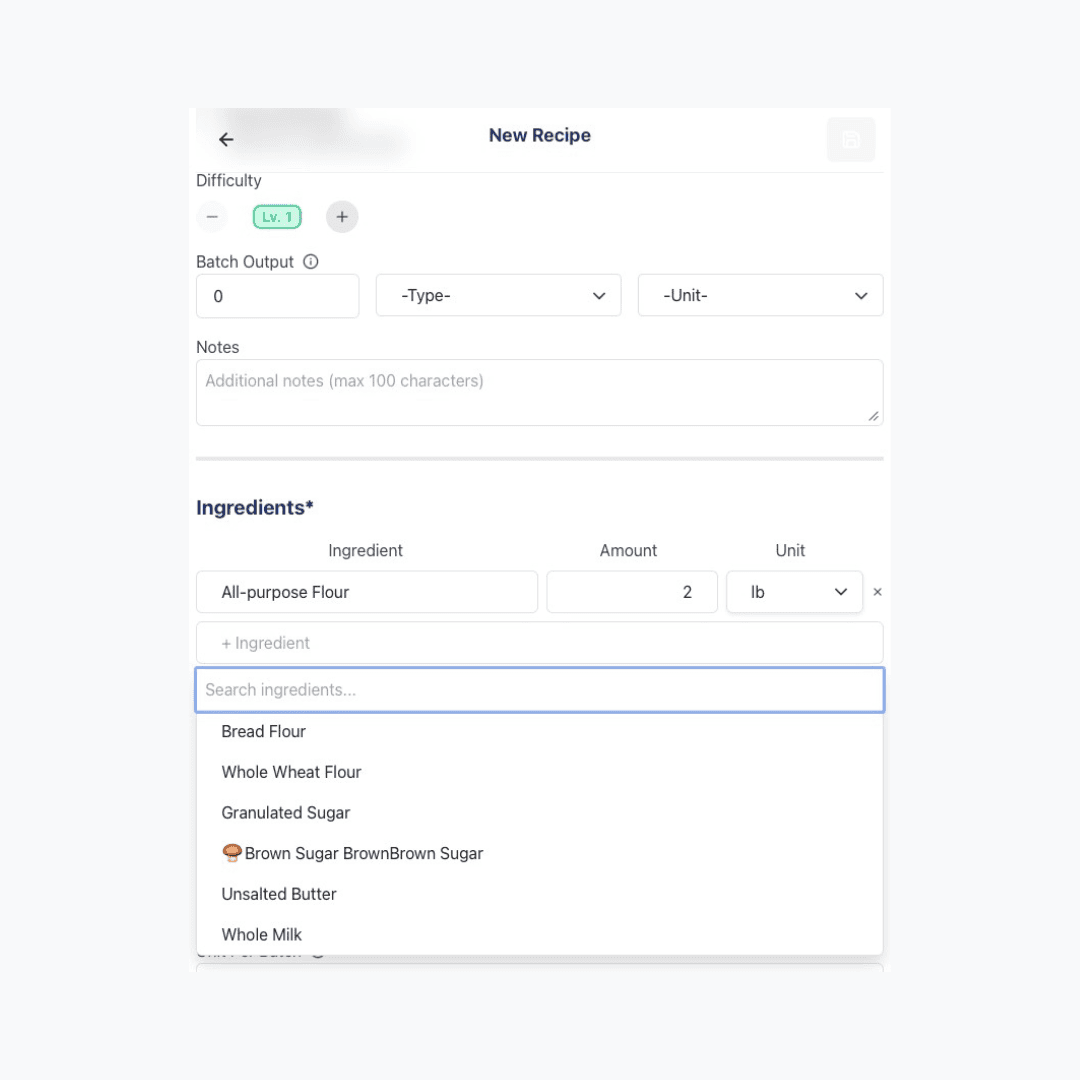
When building a recipe, you add ingredients from your Inventory, specify how much of each is used, and set a batch yield — how many servings that batch produces. Dinezy sums each ingredient's unit cost times quantity to get the total batch cost, then divides by the batch yield to give you the cost per serving. Waste and trim loss don't need a separate multiplier — they're already reflected in the yield number you set.
Recipe create page highlighting the ingredient list area — showing the flow: select item → enter quantity → subtotal cost appears automatically

Last reviewed 2026-09-24

How do I read the recipe cost breakdown?

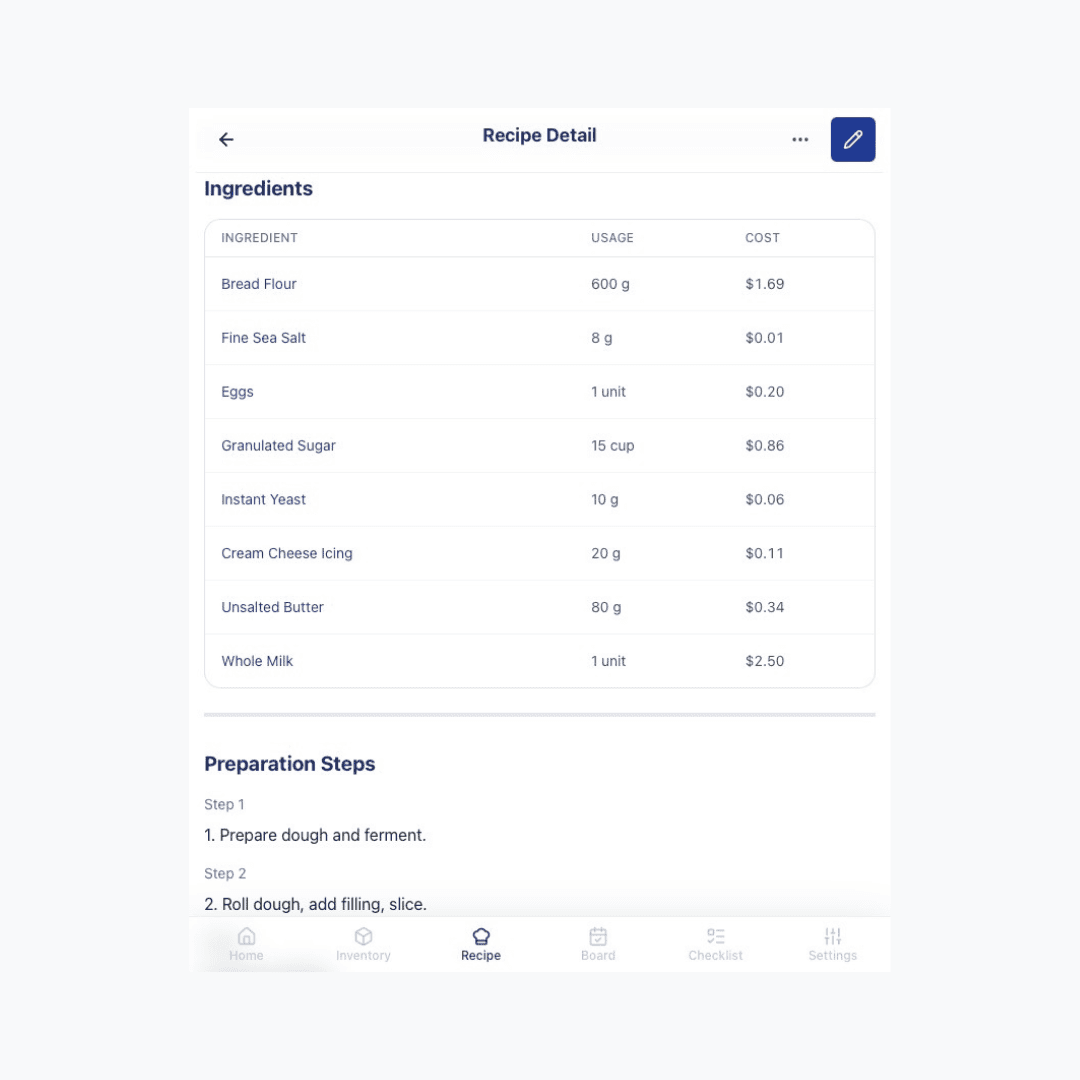
The recipe detail page shows a cost breakdown: each ingredient's quantity, its unit price, and its subtotal. The total at the bottom is the material cost per serving — this covers ingredients only, not labor or overhead.

Recipe detail page cost breakdown section, showing columns for ingredient name, quantity, unit price, subtotal, and the total material cost at the bottom

Last reviewed 2026-08-20

Managing Recipes

Who can view and edit recipes?

Viewing recipes requires the View Recipe permission, and editing (creating, modifying, or deleting) requires the Edit Recipe permission. These are separate from View Recipe Cost — a role can see a recipe's steps and ingredients without seeing its cost numbers, which is useful for kitchen staff who need the recipe but shouldn't see food cost data.

For signature or proprietary recipes, a separate View Confidential Recipe permission lets you restrict specific recipes to a smaller group, even among staff who otherwise have general recipe access.

All of these permissions can be configured per role under Settings → Roles & Permissions.

Last reviewed 2026-08-20