Checklist

Standardize opening, cleaning, and safety procedures with digital checklists.

Creating & Assigning

When should you create a checklist?
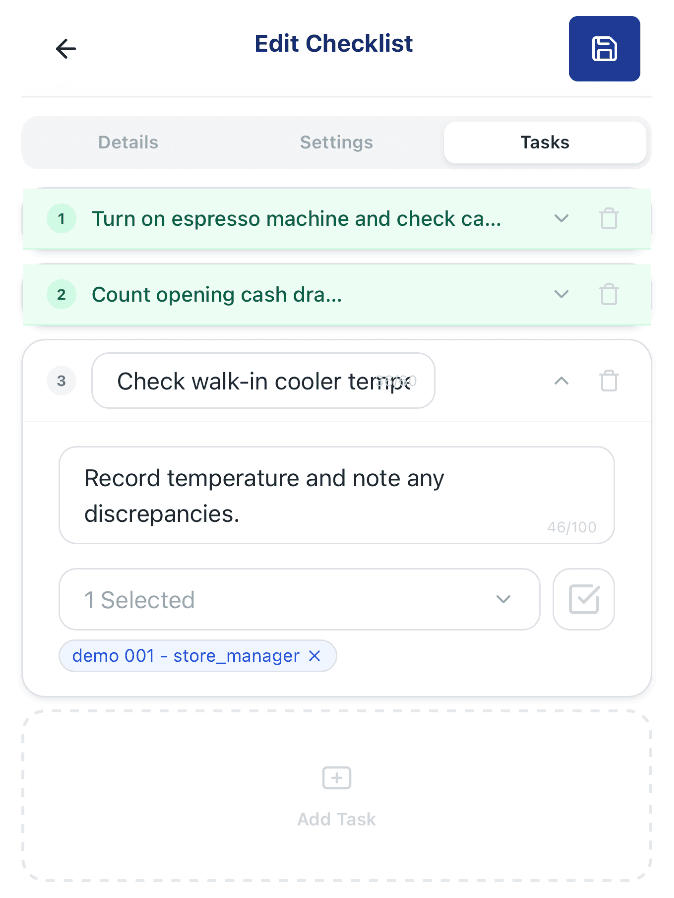
Edit Checklist page, Tasks tab, showing numbered checklist items with an assignee and the Add Task button

Whenever a process needs to be done consistently and each step needs to be confirmed, a checklist is the right tool. Common uses: opening procedures, closing cleanup, daily equipment checks, and food safety audits.

  • Numbered tasks — add as many steps as the process needs, in the order staff should follow
  • Task detail — expand a task to add a description and assign who's responsible
  • Add Task — keep building the list until every step of the process is covered

Last reviewed 2026-08-20
What completion modes are available for a checklist?

When creating a checklist, you choose how staff can complete it: · Single — each item can only be completed by one person · Multiple — each item can be completed by multiple people · All Required — all assigned team members must respond to every item · Sequential — items must be completed in order · Anonymous — completions are recorded without showing who did them · Review Required — each completed item goes to an assigned reviewer, who approves it or sends it back to be redone

Last reviewed 2026-09-24

How do I assign a checklist to staff?

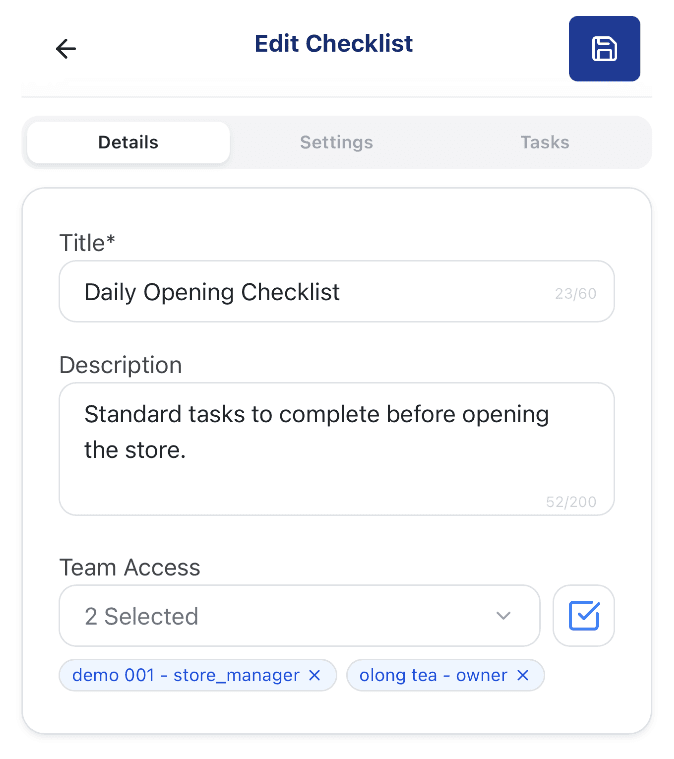
Edit Checklist page, Details tab, showing the Title, Description, and Team Access fields with two assigned staff members

After saving a checklist, assign it to specific staff members or by role. Assigned users will see it on their Checklist page as soon as it becomes Active. Managers can check each person's completion progress from the checklist's status page.

  • Team Access field — search and select who should be assigned to this checklist
  • Multiple assignees — add as many people as it needs — each shown as a removable chip
  • Details tab — set the title, description, and team access before configuring tasks

Last reviewed 2026-09-24

Completing & Reviewing

How do staff complete a checklist?

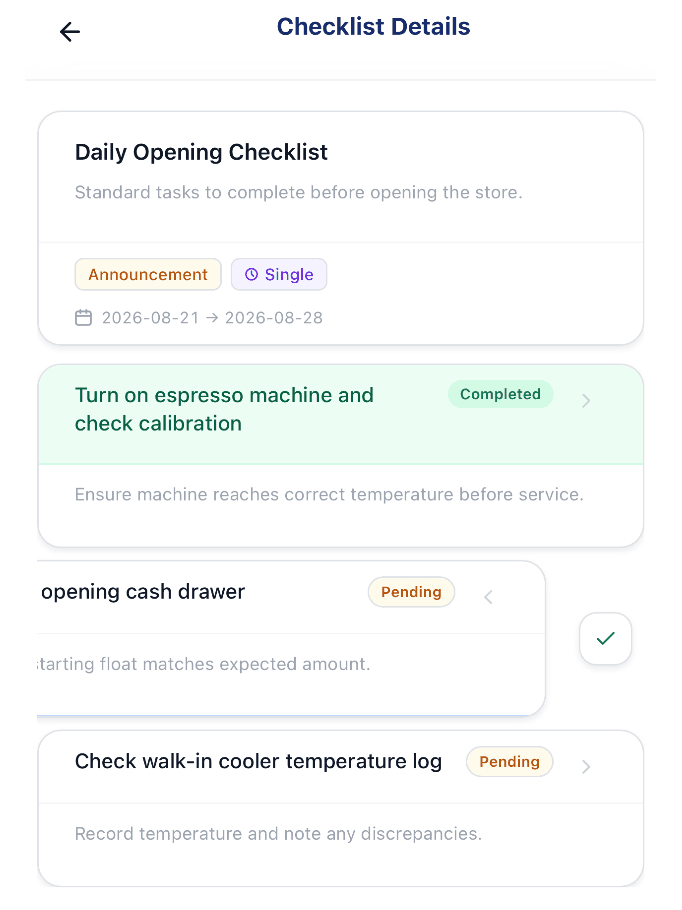
Checklist Details page for staff, showing a Completed task, a Pending task mid-swipe with a complete button, and another Pending task with its instructions

Staff open their assigned checklist and work through the items, checking each one off as they go — every task is saved the moment it's marked done.

  • Completed / Pending status — each task shows its current status at a glance
  • Mark done from the list — swipe or tap a task to complete it, no separate screen needed
  • Instructions stay visible — each task keeps its description in view, like "record temperature and note any discrepancies"

Last reviewed 2026-09-24

How do I review completed checklists?

If Review Required is enabled, a designated reviewer must approve each completed item before it's finalized. Reviewers open the Checklist Review Detail page to see what each person submitted, when they submitted it, and can mark items as approved or request a redo.

Last reviewed 2026-08-20